Unit and Service Contract Overview
Last updated: August 7, 2025
Watch Video Demo Here
Overview
Unit and Service Contracts in OneCrew offer a flexible and powerful way to manage and bill for projects, particularly those involving recurring services, variable quantities, or work performed in distinct phases or "call-outs." This feature extends beyond standard estimates, impacting how you create proposals, schedule work, track job costs, and ultimately invoice your clients.
The primary benefit of using Unit and Service Contracts is the ability to accurately bill for work where the final scope or quantity isn't known at the outset. Unit Contracts allow for itemized billing based on actual labor, materials, and equipment used per service instance, while Service Contracts facilitate billing based on a pre-defined unit of measurement (like square footage or acreage) for standardized services. This provides transparency for your customers and ensures you capture revenue accurately for all work performed.
Insight: Unit and Service Contracts transform OneCrew from a simple project-based system into a versatile platform capable of managing ongoing service agreements and piece-work, dramatically improving billing accuracy and operational efficiency for variable scope jobs.
Configuration
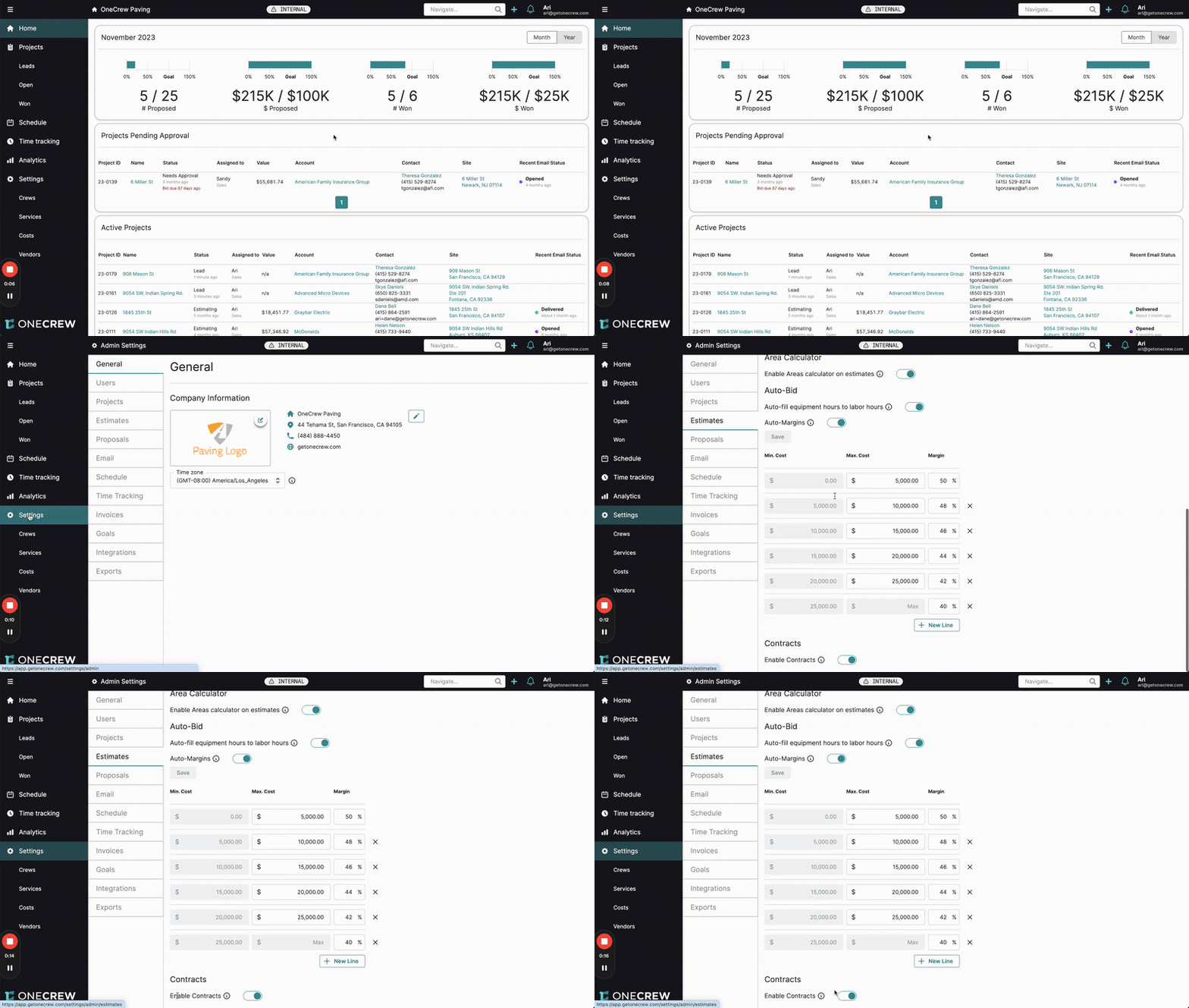
Before you can utilize Unit or Service Contracts, you must enable the feature in your OneCrew settings.
Navigate to Settings from the main menu on the left.
Under Admin Settings, select Estimates.
Scroll to the bottom of the Estimates settings page to find the Contracts section.
Toggle the Enable Contracts switch to the "on" (blue) position.
Once enabled, you'll have new options when creating estimates:
Estimate Types
When you add a service to an estimate, a new field called Estimate Type will be available. This dropdown allows you to choose how the service will be structured:
Standard Estimate: This is the traditional estimate type for projects with a fixed scope and price, or detailed line-item bidding for a one-time job.
Unit Contract: Select this when you intend to bill the client based on specific units of labor, materials, and equipment consumed each time a service "instance" (or call-out) is performed. The final price for each instance is determined by the sum of the unit prices of items used.
Service Contract: Choose this option when you bill for a service based on a pre-defined measurement (e.g., 1,000 square feet of asphalt overlay). The price for an instance is calculated by multiplying the actual measurement of work performed by a per-unit rate derived from your base estimate.
Important Note: Within a single estimate document, all services must be of the same contract type. If you add a service as a "Unit Contract," any subsequent services added to that same estimate will automatically be Unit Contracts. The same logic applies to "Service Contracts." You can, however, have multiple separate estimates (some Unit Contracts, some Service Contracts) under the same overall Project.
Use Cases
Understanding when to use Unit versus Service Contracts can streamline your operations:
Unit Contracts are ideal for:
Time & Materials (T&M) style work with pre-agreed rates: When you've set specific unit prices for labor, materials, and equipment (e.g., hourly rates, per-ton material costs).
Recurring maintenance with variable needs: Such as snow removal (billed per push, per ton of salt applied), landscape maintenance (billed for specific plants replaced or specific treatments applied), or pothole repairs (billed per type/size of repair).
Emergency call-out services: Where the exact work required is unknown until arrival, but unit prices for potential tasks are established.
Any scenario where you perform distinct "instances" of service, and each instance's billable amount is the sum of the units consumed.
Service Contracts are best suited for:
Standardized services sold by area or volume: Like lawn mowing (priced per acre or per 1,000 sq ft), asphalt overlay or sealcoating (priced per square foot/yard), or bulk material delivery (priced per cubic yard).
Phased projects with defined outputs: Where each phase involves a measurable quantity of a standard service.
Projects where you provide a fixed price per a standard unit of work (e.g., $X per 1,000 sq ft of paving), and the client may request this service for different areas or quantities over time.
Pro Tip: For services with many potential small variations (like different types of minor repairs), a Unit Contract offers more granularity for itemized billing. For standardized services sold by a common unit of measure, a Service Contract is often more efficient for pricing and invoicing.
Examples
Let's walk through creating and managing both Unit and Service Contracts.
Example 1: Unit Contract for Asphalt Repair
Scenario: You provide ongoing asphalt repair services for a commercial client. Each repair visit (instance) will be billed based on the specific labor, materials, and equipment used that day, according to pre-agreed unit prices.
Create the Master Unit Contract Estimate:
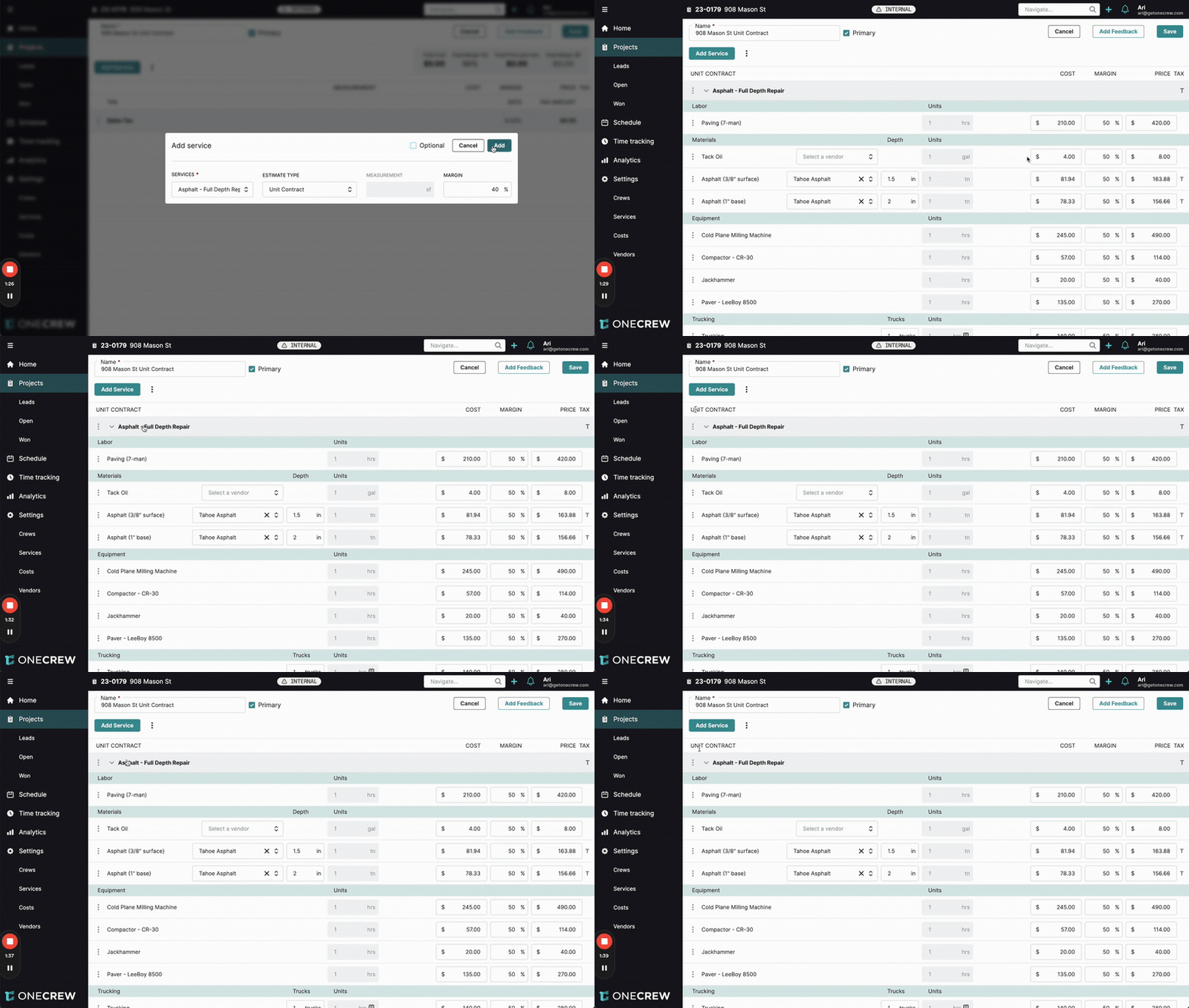
Navigate to your project and click + New Estimate. Name it descriptively (e.g., "908 Mason St Unit Contract").
Click Add Service, select your repair service (e.g., "Asphalt - Full Depth Repair"), and choose Unit Contract as the Estimate Type.
Set an initial Margin if desired (e.g., 40%). This will be applied to your costs to suggest initial unit prices.
Add all potential line items: labor (e.g., "Paving (7-man)"), materials (e.g., "Asphalt (3/8" surface)", "Asphalt (1" base)"), trucking, and any other billable items like mobilization.
For each line item, enter the Unit Price you will charge the client (e.g., Paving: $500/hr, Asphalt Surface: $170/ton). The system will display the cost and margin based on this price.
Save the estimate. This document now acts as your master list of unit prices for this client's repair work.
Executing and Billing a Service Instance:
Create an Instance: When a repair is needed:
From the project's Estimates tab, find your Unit Contract, click the three-dot menu, and select + Add instance. Choose the date the work was performed.
Alternatively, from the Schedule page, find the project, then drag the Unit Contract service (e.g., "Asphalt - Full Depth Repair") onto the calendar for the appropriate crew and date. This also creates a service instance.
Log Units Used: Open the newly created instance (it will appear nested under the main Unit Contract on the project page).
Enter the actual Units for each line item consumed during this specific repair (e.g., Paving: 1 hr, Asphalt Surface: 10 tons, Asphalt Base: 10 tons, Trucking: 1 hr, Mobilization - Paving: 1 day).
The Price for this instance will dynamically calculate based on these units and your master unit prices.
Pro Tip: If your field crew submits actuals, you can use the Fill From Actuals button on the instance to automatically populate these units, streamlining the billing process.
Invoice the Instance: When you generate an invoice for the project, the completed instance (e.g., "Asphalt - Full Depth Repair - 11/14/2023") and its calculated total (e.g., $4,450.00) will be available to add to the invoice.
Example 2: Service Contract for Asphalt Overlay
Scenario: You offer asphalt overlay services priced at $3,000 per 1,000 square feet. A client may have several different areas they want overlaid over time.
Create the Master Service Contract Estimate:
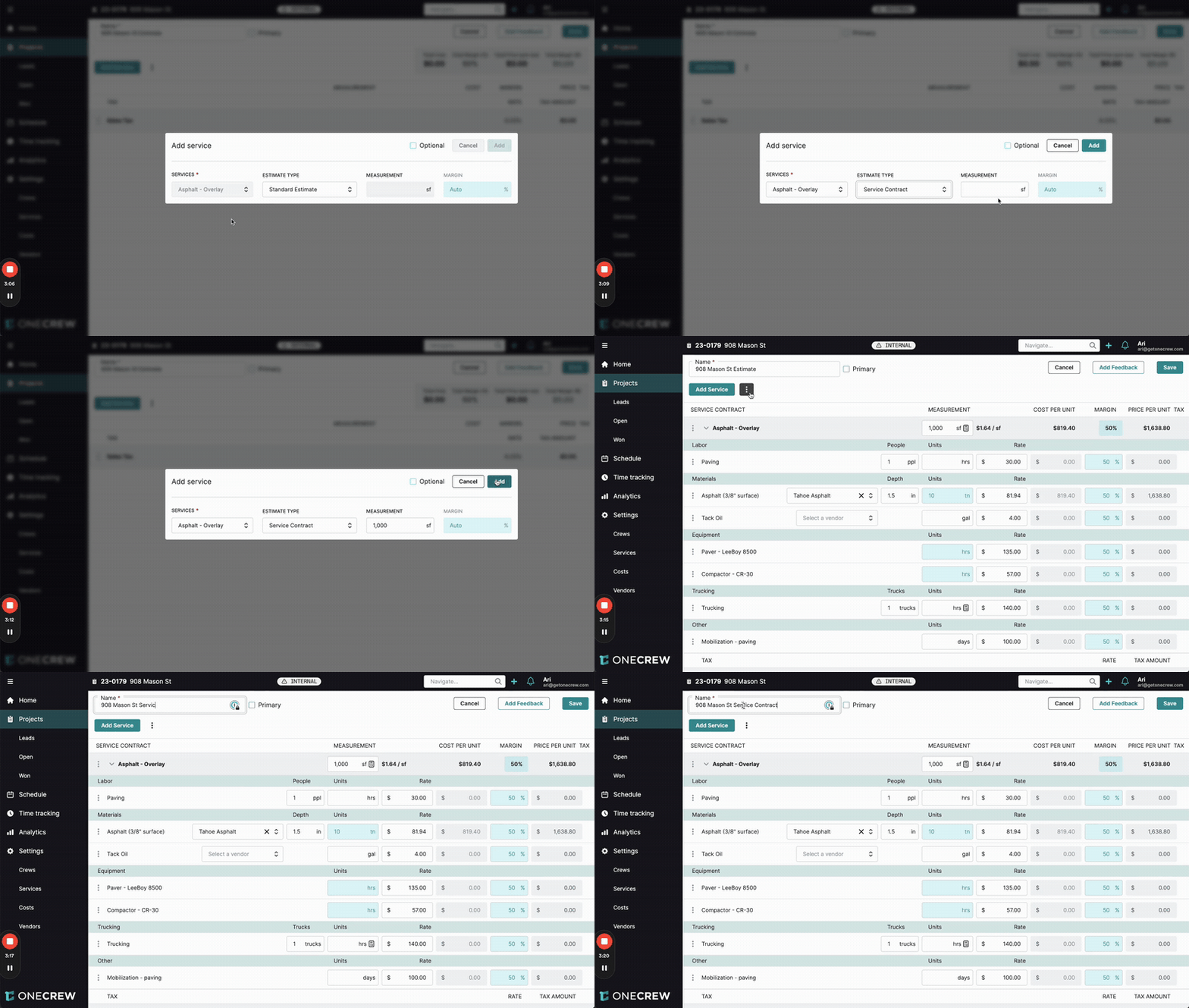
Create a + New Estimate (e.g., "908 Mason St Service Contract").
Click Add Service, select your overlay service (e.g., "Asphalt - Overlay"), and choose Service Contract as the Estimate Type.
In the Measurement field, enter your base unit (e.g., 1,000 sf).
Build out the full cost (labor, materials, equipment) to complete this base measurement (1,000 sf of overlay).
Set the total Price for this base measurement (e.g., $3,000.00). OneCrew will calculate the Cost Per Unit (e.g., $3.00/sf) and your margin.
Save the estimate. This establishes your rate for the overlay service.
Executing and Billing a Service Instance:
Create an Instance: Add an instance from the project page or the Schedule, similar to Unit Contracts.
Log Measurement/Units: Open the instance. You have two ways to define the work performed:
Measurement Tab: Enter the total actual measurement for this specific job (e.g., 2,500 sf). The price will scale proportionally ($3,000 / 1,000 sf * 2,500 sf = $7,500).
Units Tab: Enter the number of base units completed (e.g., 2.5, representing 2.5 x 1,000 sf). This achieves the same total price.
Invoice the Instance: The completed Service Contract instance (e.g., "Asphalt - Overlay - 11/15/2023") with its scaled price (e.g., $7,500.00) can be added to an invoice.
Proposals, work orders, and actuals (job costing) will also reflect these contract structures, ensuring consistency from bid to bill. Learn more about managing proposals [add link to relevant article] and tracking actuals [add link to relevant article].