Daily Actuals Report
Last updated: August 7, 2025
Watch Video Demo Here
Overview
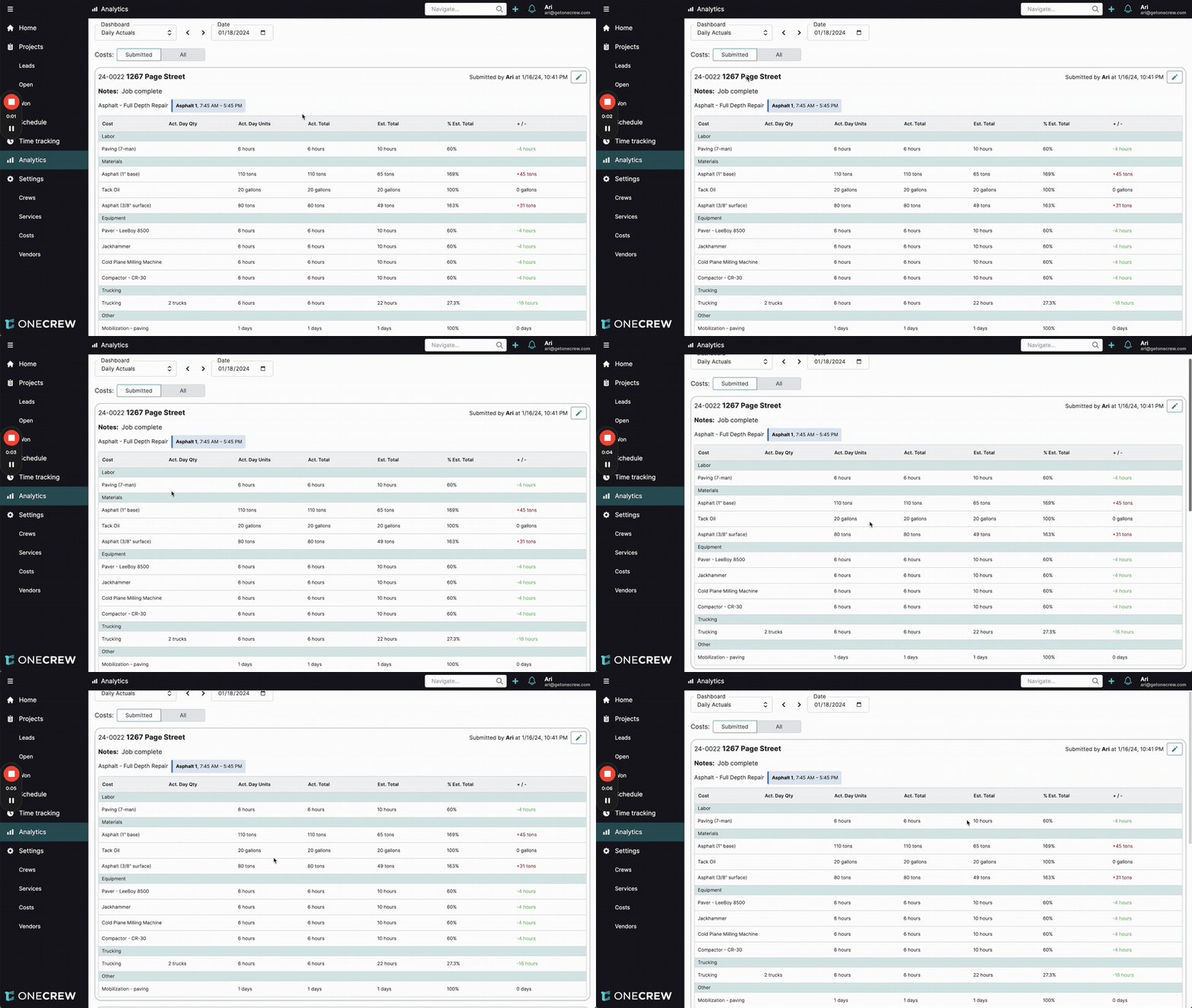
The Daily Actuals report is your essential tool for gaining a day-to-day understanding of how your projects are performing against their initial estimates. Its primary purpose is to provide consistent and timely visibility into job costs, enabling project managers and stakeholders to monitor progress, identify potential issues early, and make informed decisions. This comprehensive report covers various cost categories—including labor, materials, equipment, trucking, and other miscellaneous items. For each cost, it details the quantity used on a specific day (Act. Day Qty), the total accumulated for the project to date (Act. Total), the original budgeted amount (Est. Total), the progress towards that estimate (% Est. Total), and the variance (+/-).
Insight: The real power of the Daily Actuals report lies in its immediacy. By transforming raw field data into an actionable financial overview daily, it bridges the gap between on-site operations and financial control, preventing small variances from becoming major budget overruns.
Key benefits include proactive cost management, improved accuracy in job costing through timely data capture, and enhanced accountability across field and office teams.
Configuration
The Daily Actuals report offers several options to tailor the view to your specific needs:
Date Selection:
Locate the Date field at the top of the report interface.
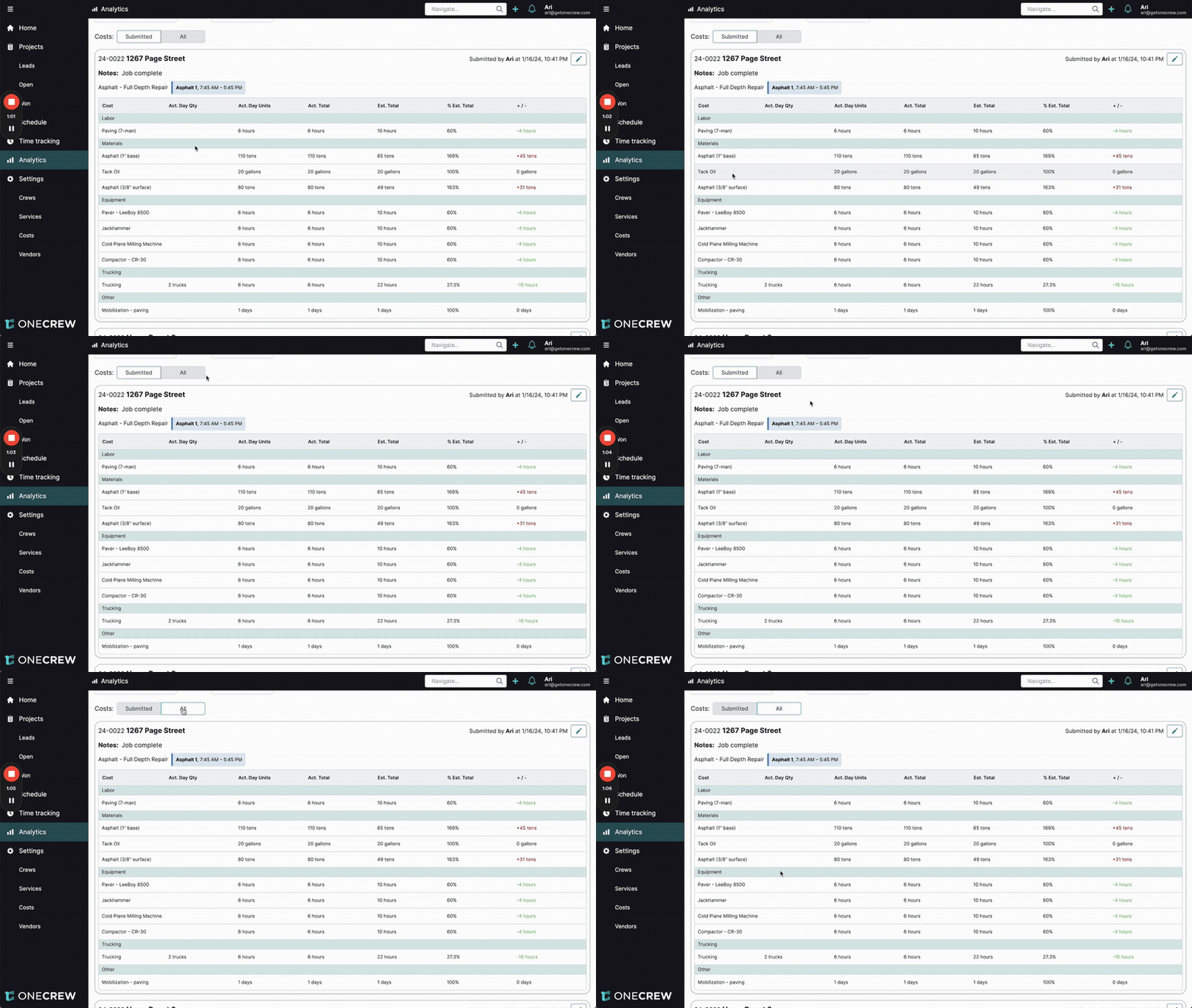
Click the date to open a calendar picker or use the (previous day) and > (next day) arrow buttons to navigate to the desired day. The report will automatically update to show actuals for the selected date.
Filtering Costs: The report provides two views for cost items:
Submitted: This is the default view. It displays only those cost line items for which actual units were submitted for the selected day.
All: To see all cost items that were part of the project's original estimate (even those with no actuals submitted for the selected day), click the All button next to the Costs label. This allows for a comprehensive comparison of planned versus actual activity. To revert to the default view, click the Submitted button.
Insight: Viewing All costs can be particularly useful to quickly see what was planned versus what was actually worked on or consumed for that day, highlighting tasks that may have been missed, intentionally deferred, or rescheduled.
Editing Actuals: If you identify an error or need to update a submitted actual entry:
Locate the specific project actuals section you wish to modify within the report.
Click the pencil icon (Edit button) found in the top-right corner of that project's actuals summary.
The "Edit actual" screen will appear. Here, you can adjust the Date, add or modify Notes, and change the submitted quantities or units for individual cost items (e.g., labor hours, material tons).
After making the necessary changes, click the Update button to save.
Printing the Report: The Daily Actuals report is designed to be printer-friendly for physical record-keeping or sharing.
Use your web browser's standard print function (often accessible via Ctrl+P on Windows or Cmd+P on macOS, or through the browser's menu).
A print preview will display how the report will look on paper. It's formatted to fit standard page sizes and includes all visible data tables and the "Scheduled Events Without Actuals" section.
You can also typically choose to "Save as PDF" from your browser's print dialog if you prefer a digital copy.
Use Cases
The Daily Actuals report is invaluable in several scenarios:
Daily Project Financial Health Check: Start your day by reviewing the report to get an immediate understanding of whether your active jobs are staying within budget. This allows for quick identification of projects needing attention. For example, you can see at a glance if labor hours for a specific task are trending higher than planned or if material consumption is exceeding expectations.
Early Discrepancy Detection: If a particular material cost like "Asphalt (1" base)" shows a 168% usage against the estimate, or labor hours are significantly under, the report highlights these variances. This enables you to investigate and address the root cause—be it a scope change, inefficiencies, or an inaccurate estimate—before it significantly impacts the project's bottom line.
Ensuring Data Integrity and Completeness: The report helps confirm that actual costs are being recorded for all scheduled work. The "Scheduled Events Without Actuals" section (detailed further below) flags any crews or tasks that were scheduled for the day but lack submitted cost data, ensuring no information is missed.
Correcting Data Entry Errors: Mistakes can happen during data entry. If a crew member or administrator enters incorrect quantities or units for materials or labor, the Daily Actuals report provides a clear, itemized view to spot these errors. You can then easily navigate to edit and correct the actuals, maintaining data accuracy.
Informing Future Estimating: By consistently reviewing actuals against estimates across various projects, you gather valuable historical data. This data-driven insight can refine your estimating process for future projects, leading to more accurate bids and better resource planning.
Examples
Let's explore a couple of real-world scenarios to illustrate how the Daily Actuals report provides actionable insights:
Example 1: Monitoring Costs on an Asphalt Repair Project
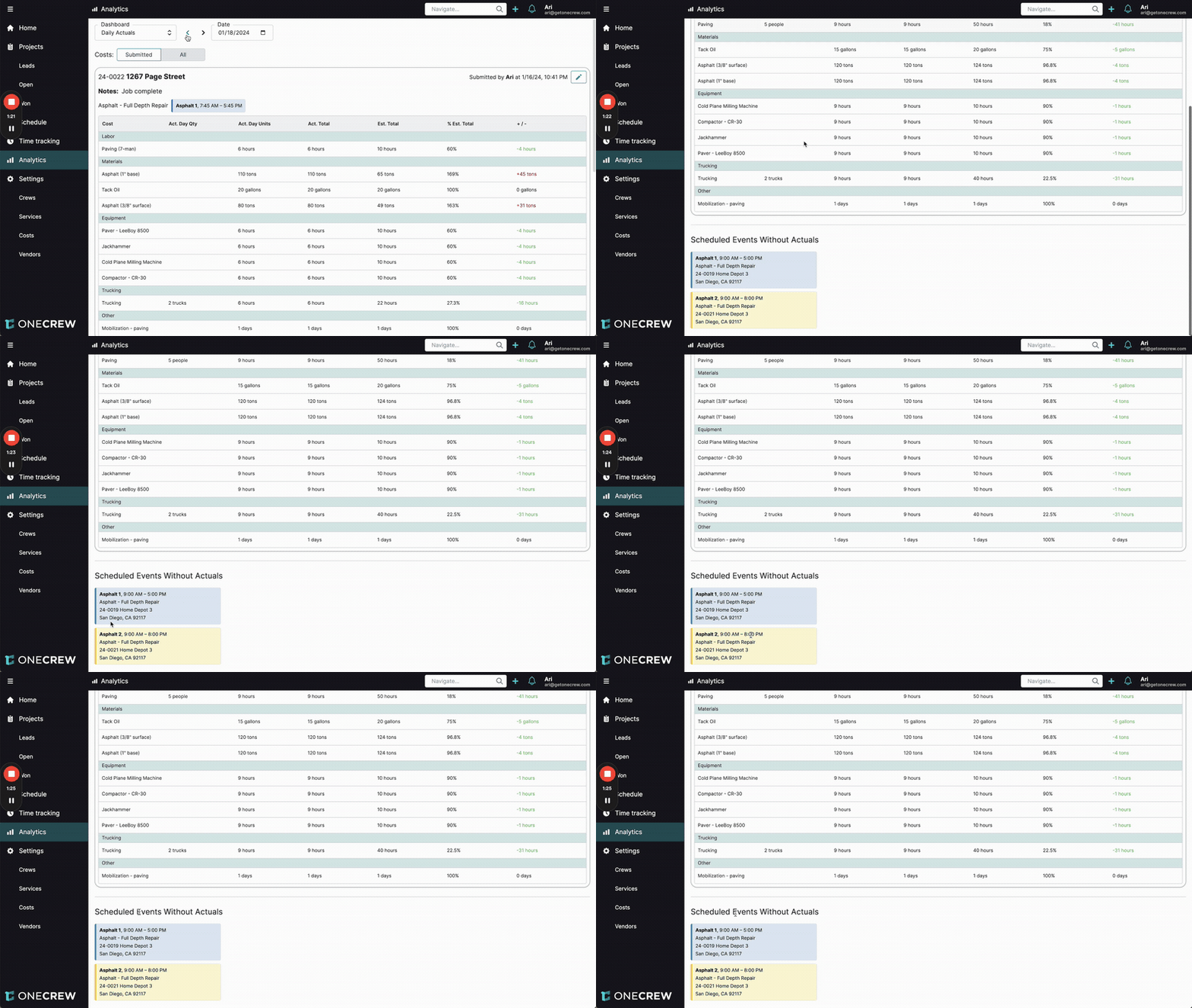
You are overseeing the "1267 Page Street" asphalt repair project (Job ID 24-0022). The crew (Asphalt 1) completed the work, noted as "Job complete," between 7:45 AM and 5:45 PM on January 18th. Reviewing the Daily Actuals report for this project on this date reveals:
Labor (Paving 7-man):
Act. Day Qty: 6 hours
Act. Total: 6 hours (since the job is complete)
Est. Total: 10 hours
% Est. Total: 60%
+/-: -4 hours
Analysis: The paving crew was more efficient than estimated, completing the work 4 hours under budget for labor.
Materials (Asphalt 1" base):
Act. Day Qty: 110 tons
Act. Total: 110 tons
Est. Total: 65 tons
% Est. Total: 168%
+/-: +45 tons
Analysis: Significantly more base asphalt was used (45 tons over estimate). This requires investigation. Was the initial estimate too low? Was there unexpected subgrade condition requiring more material, or was there material waste?
Trucking:
Act. Day Qty: 6 hours (for 2 trucks)
Act. Total: 6 hours
Est. Total: 22 hours
% Est. Total: 27.3%
+/-: -16 hours
Analysis: Trucking hours were well below the estimate, a positive variance likely linked to the job's quicker completion or efficient material staging.
This daily snapshot immediately flags both positive performance (labor efficiency) and areas of concern (material overage), allowing for timely discussions with the project team and adjustments for future estimates.
Example 2: Ensuring Accountability for Missing Actuals
It's the morning of January 18th, and you're reviewing the Daily Actuals report for the previous day, January 17th. After examining the submitted actuals for various projects, you scroll to the bottom of the report to the Scheduled Events Without Actuals section. Here, you find two entries:
Event 1: Asphalt 1, 8:00 AM - 5:00 PM, Asphalt - Full Depth Repair, Project 24-0019 Home Depot 3
Event 2: Asphalt 2, 8:00 AM - 5:00 PM, Asphalt - Full Depth Repair, Project 24-0021 Home Depot 3
This indicates that two crews (Asphalt 1 and Asphalt 2) had work scheduled for January 17th, but their actual job costing data (hours, materials used, etc.) has not yet been submitted.
Pro Tip: Make it a daily habit to check the "Scheduled Events Without Actuals" section, either at the end of the workday or first thing the next morning. This proactive step helps maintain data hygiene and ensures all project costs are captured promptly, leading to more reliable financial reporting.
With this information, you can:
Identify the foreman, project manager, or supervisor responsible for these crews and projects.
Contact them immediately to inquire about the missing actuals and ensure they are submitted without further delay.
This feature is crucial for maintaining accountability and ensuring the completeness and timeliness of job cost data, which is vital for accurate project profitability tracking and overall financial health.